Live Demo
See CodeWiki MCP and the CodeWiki Agent in action — a real conversation in VS Code Chat.
Sample Conversation
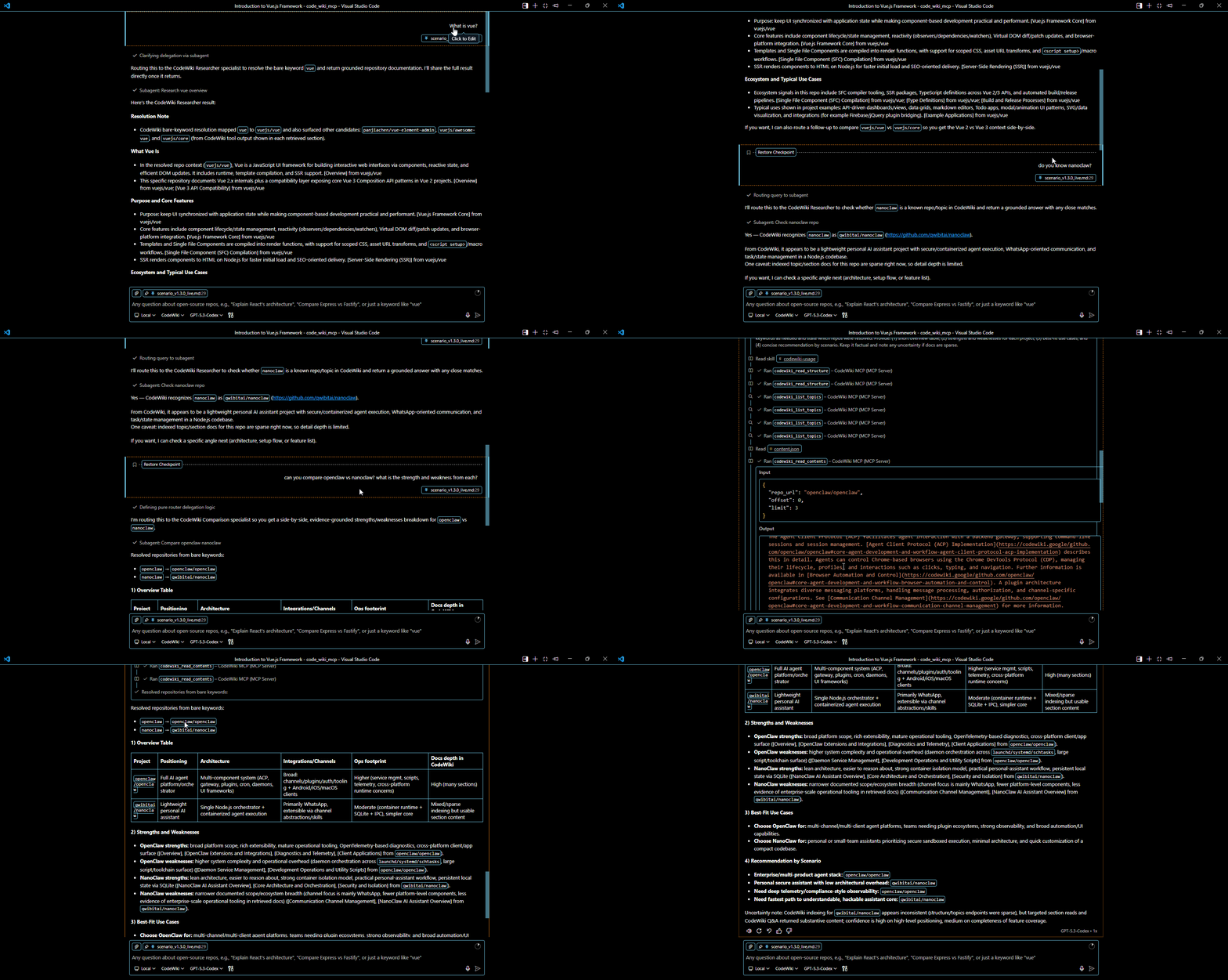
The recording below shows a complete conversation using the CodeWiki Agent (@codewiki) in the VS Code Chat panel. The agent uses CodeWiki MCP tools to query Google CodeWiki and deliver AI-generated documentation about open-source repositories.
What's Happening
In this demo, the user invokes @codewiki in the VS Code Chat panel. Here's the flow:
User sends a prompt
The user types a question like @codewiki What is facebook/react? in the VS Code Chat panel.
Master agent routes the request
The CodeWiki Master orchestrator analyzes the intent and delegates to the appropriate specialist subagent (Researcher, Code Review, Architecture Explorer, Comparison, or Synthesizer).
Subagent calls MCP tools
The specialist subagent calls CodeWiki MCP tools — codewiki_list_topics, codewiki_read_structure, codewiki_read_contents, or codewiki_search_wiki — to fetch real documentation from Google CodeWiki.
CodeWiki MCP fetches the data
The MCP server uses Playwright headless Chromium to render Google CodeWiki's Angular SPA, then parses the content with BeautifulSoup and returns structured, citation-rich documentation.
Agent presents the result
The master agent presents the complete, synthesized response to the user — including tables, code snippets, architecture diagrams, and citations from CodeWiki sections.
Features Demonstrated
Agent Orchestration
The master agent routes requests to the right specialist via the agent tool — no manual subagent selection needed.
MCP Tool Calls
Real CodeWiki MCP tool invocations — list topics, read structure, read contents, search wiki — visible in the chat flow.
Keyword Resolution
Bare keywords like "react" are auto-resolved to facebook/react with interactive disambiguation when multiple matches are found.
Rich Responses
Responses include formatted markdown, code snippets, tables, and citations — all grounded in real Google CodeWiki documentation.
Try It Yourself
Get started in under 2 minutes:
# Install
pip install codewiki-mcp
playwright install chromium

# Add to VS Code (.vscode/mcp.json)
{
  "servers": {
    "codewiki-mcp": {
      "type": "stdio",
      "command": "codewiki-mcp"
    }
  }
}
Then open the VS Code Chat panel (Ctrl+Alt+I), type @codewiki followed by your question, and watch the agent work.
Before running @codewiki, make sure the master agent, all 5 specialist sub-agents, and the skills file are properly configured in your .vscode/ folder. See the Agentic AI Guide for agent setup and Skills & Client Setup for the skills configuration.